


For MultiCharts software users
MultiCharts strategy generator
MultiAlphas generates and backtests futures strategies, then exports the ones you keep to PowerLanguage in one click, with the same entry and exit rules as the backtest.
No credit card. Windows 10/11, 64-bit. NVIDIA GPU for full speed (CPU works too).
From generation to MultiCharts in 3 steps
- 1
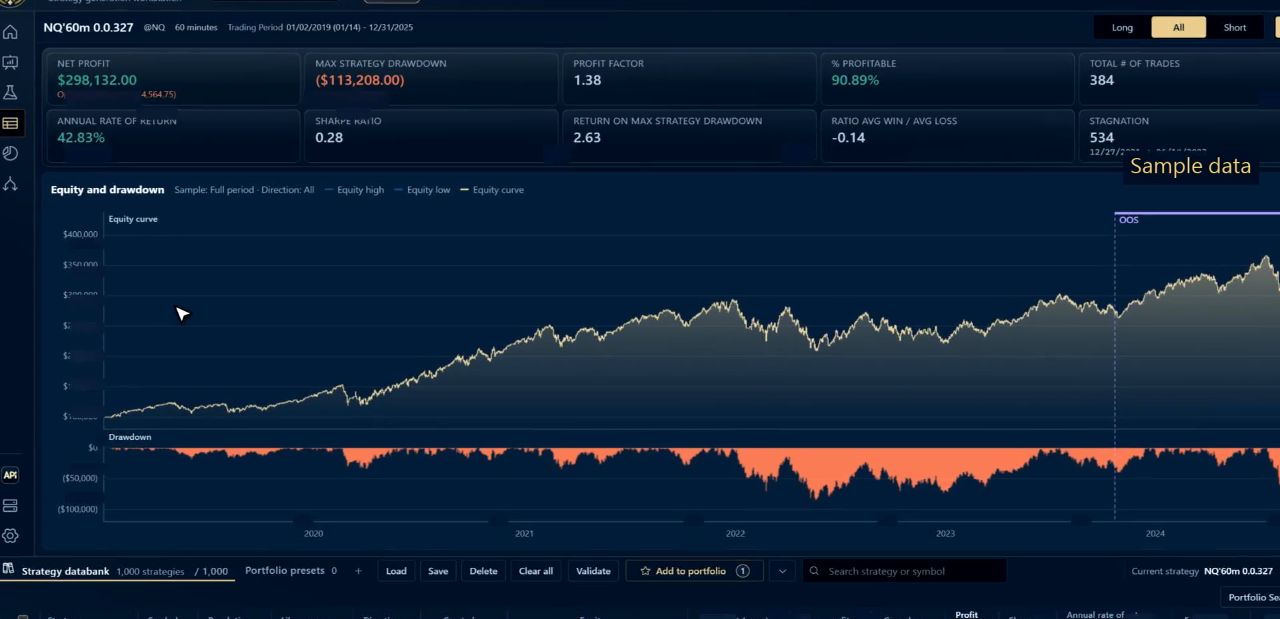
Set the market and generate
Pick the market, bar size, costs and the indicator families the generator may use, then start. No PowerLanguage needed for this part.
- 2
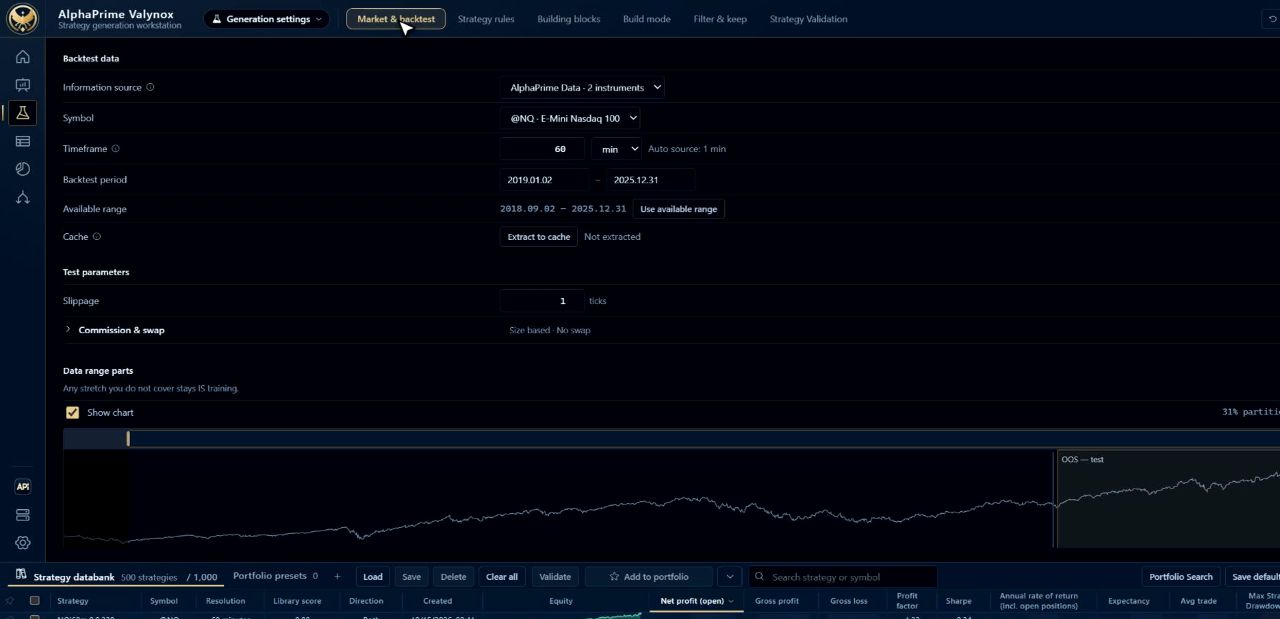
Backtest and keep what holds up
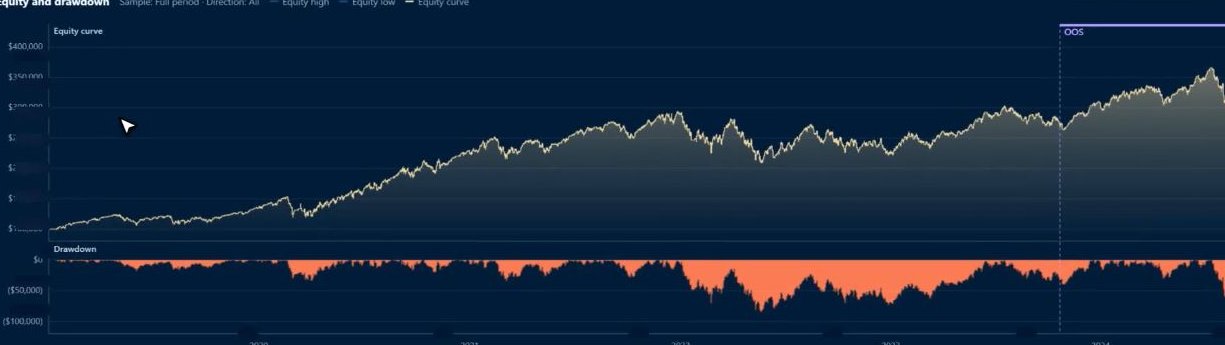
Every candidate is backtested on the GPU. Read the report, check the out-of-sample period and keep the strategies worth trading.
- 3
Export PowerLanguage
Open Strategy source code, choose PowerLanguage and click Export file. The first time, also export the function library and import it once in the PowerLanguage Editor.
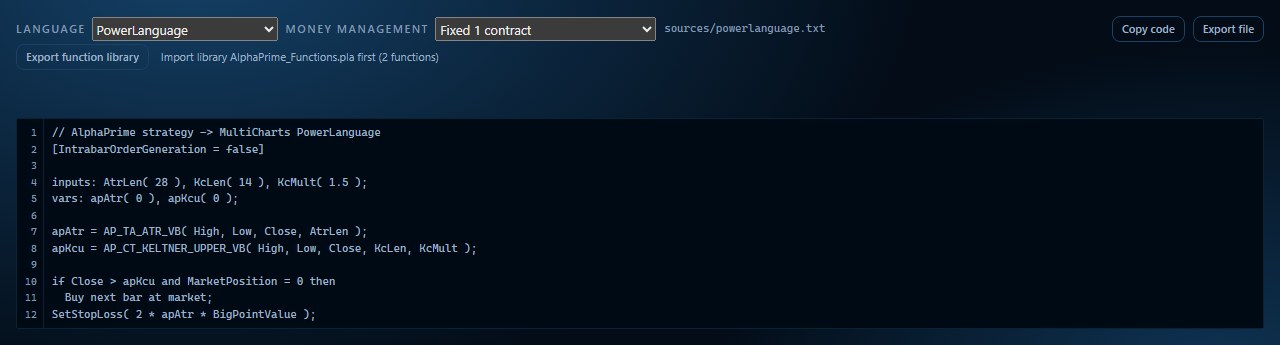
PowerLanguage code from the export
This is a sample strategy in the form the export writes. PowerLanguage is close to EasyLanguage, so it reads the same way.
- Each indicator is one call to a named function, with no expanded code in the strategy.
- The functions live in one library file, AlphaPrime_Functions.pla, imported once.
- The file header lists what to set in MultiCharts: commission, slippage, big point value, tick size, MaxBarsBack, time zone and session.
// MultiAlphas strategy -> MultiCharts PowerLanguage
[IntrabarOrderGeneration = false]

inputs: AtrLen( 28 ), KcLen( 14 ), KcMult( 1.5 );
vars: apAtr( 0 ), apKcu( 0 );

apAtr = AP_TA_ATR_VB( High, Low, Close, AtrLen );
apKcu = AP_CT_KELTNER_UPPER_VB( High, Low, Close, KcLen, KcMult );

if Close > apKcu and MarketPosition = 0 then
  Buy next bar at market;
SetStopLoss( 2 * apAtr * BigPointValue );
Supported rules and indicators
| Category | Indicators | Entry and exit rules |
|---|---|---|
| Time & calendar | 9 | 5,978 |
| Baselines | 20 | 10,021 |
| Bar statistics | 36 | 18,750 |
| Shape & structure | 19 | 15,983 |
| Volatility & channels | 28 | 16,154 |
| Classic indicators | 40 | 18,914 |
| Volume | 45 | 13,446 |
| Alternative data | 7 | 7,212 |
The free trial opens 15 common indicator families with about 3,170 conditions and exports to MultiCharts too.
MultiCharts questions
MultiCharts vs TradeStation: which should I use?
TradeStation is a broker and a platform in one, and it runs EasyLanguage. MultiCharts is a separate platform that connects to many data feeds and brokers, and it runs PowerLanguage, which is close to EasyLanguage. MultiAlphas exports to both, so use the one you already trade on.
Do I need to know PowerLanguage?
No. You set conditions and MultiAlphas writes the code. You only import the file into MultiCharts and compile it. The source is plain text, so you can read or edit it if you want to; after an edit, compare the trades again.
Is "multi charts" the same software as MultiCharts?
Yes. "Multi charts" is a common spelling of MultiCharts, the trading platform. Its .NET edition is a separate product that runs C#; this export is for the edition that runs PowerLanguage.
How close is MultiCharts to the MultiAlphas backtest?
Both run the same rules; if the data, session or costs differ, the trades and results will differ too. The file header lists the settings and the backtest figures to compare: trades, net profit and drawdowns. If the two differ, it is almost always a setting; the PowerLanguage comparison checklist goes through them.
Can I export EasyLanguage as well?
Yes. The same strategy exports as EasyLanguage for TradeStation, Pine Script for TradingView and NinjaScript for NinjaTrader, and MQL4 and MQL5 for MetaTrader 4 and MetaTrader 5. See platform export. The comparison described here is for MultiCharts.
Where do I get the MultiCharts download?
MultiCharts software comes from its maker at multicharts.com, which lists a free plan and paid plans. MultiAlphas is separate software: it generates and tests strategies, then you import the PowerLanguage file into your MultiCharts.
Generate your first MultiCharts strategy
Research software, not investment advice. No profit guarantee; backtest results do not indicate future performance.